docs.unity3d.com
Search Results for

    Show / Hide Table of Contents

    Graph Inspector

    Description

    The Graph Inspector makes it possible for you to interact with any selectable graph elements and graph-wide settings for a Shader Graph Asset. You can use the Graph Inspector to edit attributes and default values.

    When you open a Shader Graph, the Graph Inspector displays the Graph Settings tab by default. Graph-wide settings for that specific Shader Graph appear in this tab.

    How to use

    Select a node in the graph to display settings available for that node in the Graph Inspector. Settings available for that node appear in the Node Settings tab of the Graph Inspector. For example, if you select a Property node either in the graph or the Blackboard, the Node Settings tab displays attributes of the Property that you can edit.
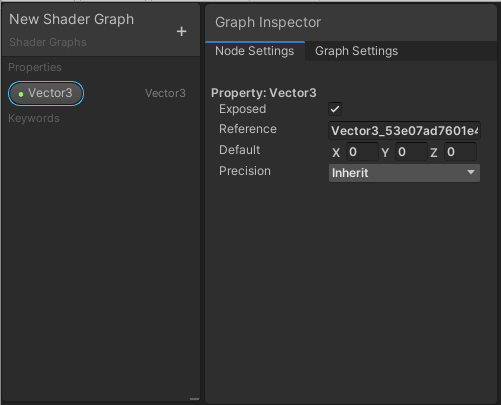
    The Blackboard with a property selected, and the Graph Inspector showing the property settings.

    Graph elements that currently work with the Graph Inspector:
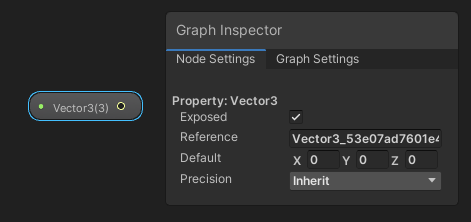
    • Properties

      A property selected in the workspace, and the Graph Inspector showing the property settings.

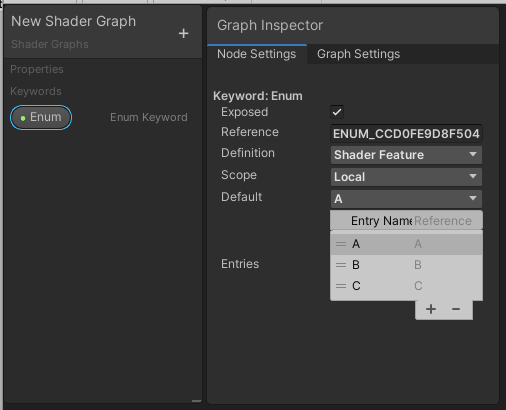
    • Keywords

      The Blackboard with a keyword selected, and the Graph Inspector showing the keyword settings.

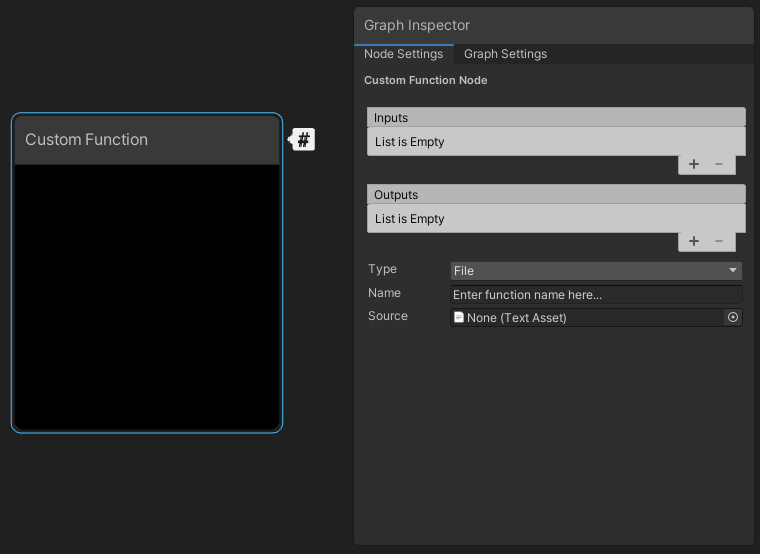
    • Custom Function nodes

      A Custom Function node selected in the workspace, and the Graph Inspector showing the node settings.

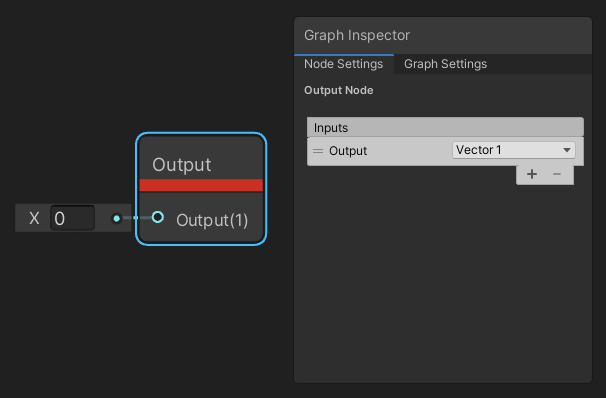
    • Subgraph Output nodes

      A subgraph output node selected in the workspace, and the Graph Inspector showing the node settings.

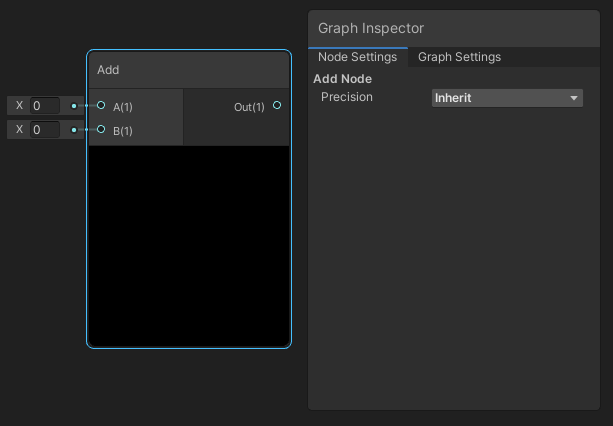
    • Per-node precision

      A node selected in the workspace, and the Graph Inspector showing the Precision setting.

    Graph elements that currently do not work with the Graph Inspector:

    • Edges
    • Sticky Notes
    • Groups

    Material Override

    Enabling the Allow Material Override option in the Graph Settings makes it possible for you to override certain graph properties via the Material Inspector.

    In This Article
    Back to top
    Copyright © 2026 Unity Technologies — Trademarks and terms of use
    • Legal
    • Privacy Policy
    • Cookie Policy
    • Do Not Sell or Share My Personal Information
    • Your Privacy Choices (Cookie Settings)