Path tracing reference
Note
NVIDIA OptiX Denoiser is deprecated and will be removed in a future version. Use Intel Open Image Denoise instead. The Temporal denoising mode is only available with the deprecated NVIDIA OptiX Denoiser and is not supported in Intel Open Image Denoise.
Properties
| Property | Description |
|---|---|
| State | When set to Enabled, HDRP uses path tracing. |
| LayerMask | Specifies the layers that path tracing includes. |
| Maximum Samples | Set the number of frames to accumulate for the final image. There is a progress bar at the bottom of the Scene view which indicates the current accumulation with respect to this value. |
| Minimum Depth | Set the minimum number of light bounces in each path. |
| Maximum Depth | Set the maximum number of light bounces in each path. You can not set this to be lower than Minimum Depth. Note: You can set this and Minimum Depth to 1 if you only want to direct lighting. You can set them both to 2 if you only want to visualize indirect lighting (which is only visible on the second bounce). |
| Maximum Intensity | Set a value to clamp the intensity of the light value each bounce returns. This avoids bright, isolated pixels in the final result. Note: This property can make the final image dimmer, so if the result looks dark, increase the value of this property. |
| Sky Importance Sampling | Set the sky sampling mode. Importance sampling favors the brightest directions, which is beneficial when using a sky model with high contrast and intense spots (like a sun, or street lights). On the other hand, it can be slightly detrimental when using a smooth, uniform sky. It's active by default for HDRI skies only, but can also be turned On and Off, regardless of the type of sky in use. |
| Seed Mode | Set how the path tracer generates random numbers. The seed is the pattern the noise has. When accumulating samples, every frame needs a different seed. Otherwise, the same noisy image gets accumulated over and over. Seed Mode has the following options: • Non Repeating: This is the default option. The seed is chosen based on the camera frame count. When the accumulation resets, it is not reset to zero. • Repeating: The seed is reset every time the accumulation is reset. Rendering of every image is done using the same random numbers. • Custom: Set the seed using a custom script. For more information, see the example in Understand path tracing. |
| Denoising | Denoises the output of the path tracer. This setting is only available when you install the Unity Denoising Package. Denoising has the following options: • None: Does not denoise (this is the default option). • Intel Open Image Denoise: Uses the Intel Open Image Denoise library to denoise the frame. Supported on Windows, Linux, and macOS, with GPU paths for Intel, AMD, and NVIDIA hardware. • NVIDIA OptiX Denoiser: Uses NVIDIA OptiX to denoise the frame. Deprecated. Use Intel Open Image Denoise instead. Limited to NVIDIA hardware on Windows. You can also enable the following additional settings: • Use AOVs (Arbitrary Output Variables): Increases the amount of detail kept in the frame after HDRP denoises it. • Temporal: Improves the temporal consistency of denoised frame sequences. This setting only applies when Denoising is set to NVIDIA OptiX Denoiser. • Separate Volumetrics: Denoises the volumetric scattering effect separately for a smoother fog. When Separate Volumetrics is enabled, the Temporal setting does not improve volumetric fog temporal stability. |

Minimum Depth set to 1, Maximum Depth set to 2: direct and indirect lighting (1 bounce)

Minimum Depth set to 1, Maximum Depth set to 1: direct lighting only
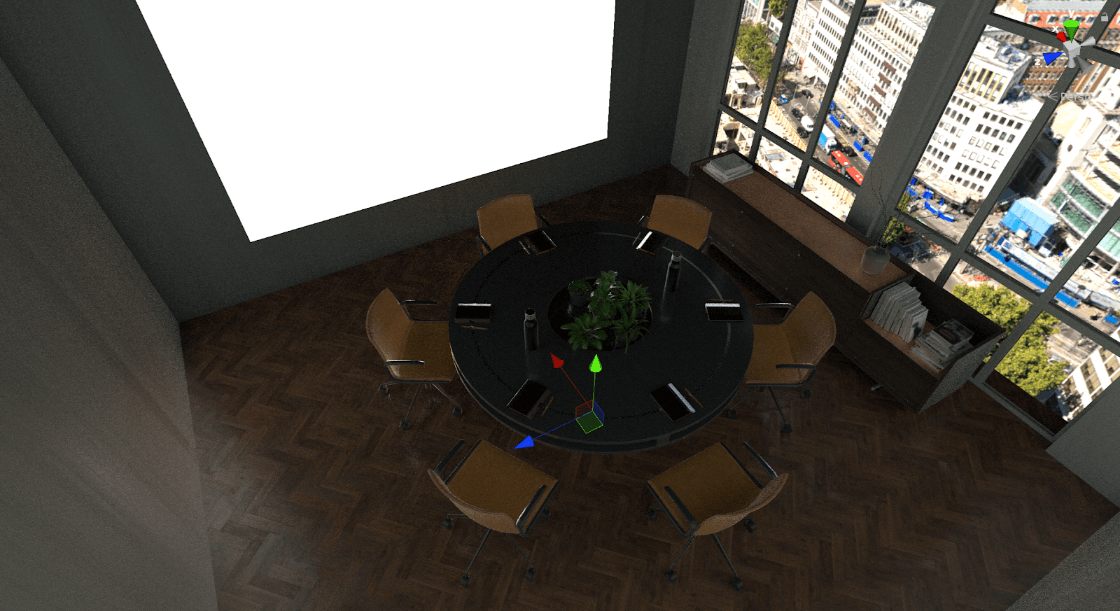
Minimum Depth set to 2, Maximum Depth set to 2: indirect lighting only (1 bounce)
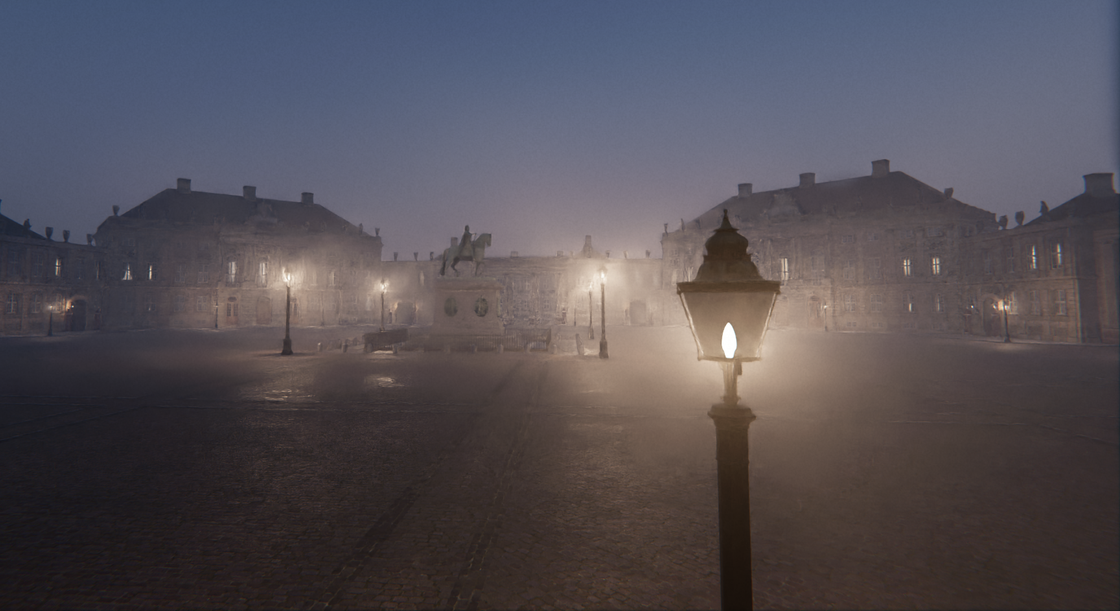
Denoising set to NVIDIA OptiX Denoiser, Separate Volumetrics set to Off
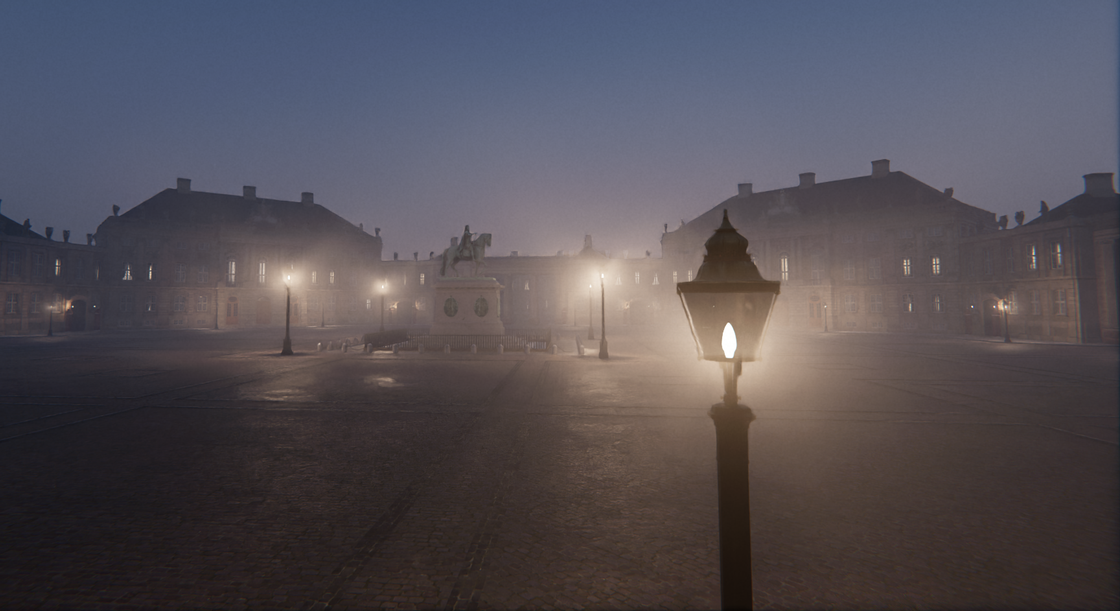
Denoising set to NVIDIA OptiX Denoiser, Separate Volumetrics set to On