The ProGrids package is obsolete. Use grid snapping in the Unity Editor instead.
Set Grid Planes
These buttons allow you to control where the grid appears relative to the X, Y, and Z axes.
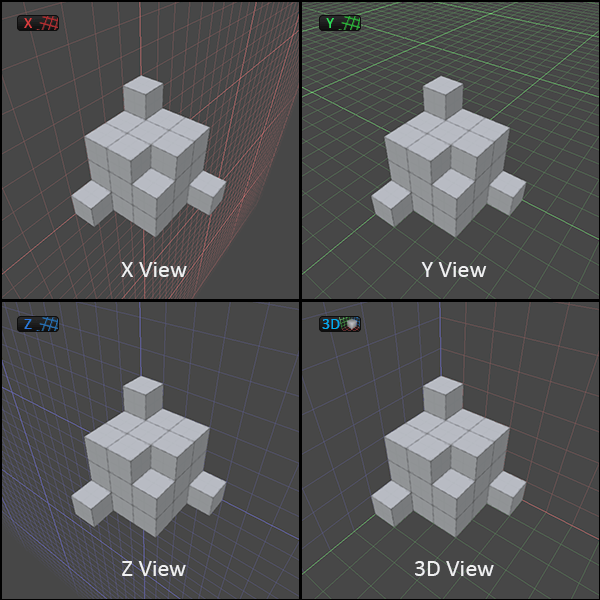
 Use this to set the grid to render on the X axis (facing to the left/right).
 Use this to set the grid to render on the Y axis (facing up/down).
 Use this to set the grid to render on the Z axis (facing forwards/backwards).
 Use this to render a grid with all 3 axes.
TIP: You can also enable the Predictive Grid option on the Snap Settings window if you want ProGrids to decide which grid plane to use.