Create bodies in code
Now that you know how to create rigid bodies in the Unity Editor and how to alter their properties in code, learn how to create them dynamically in code.
Start from a prefab
Take the Sphere prefab you used before. Make it spawn multiple times when you enter Play mode by baking it with the ConfigAuthoring component.
- Create and attach the
ConfigAuthoringscript to a new empty GameObject. - Add the Sphere prefab to the GameObject field, and set the number of times you want to spawn it.
- Create a baker named
ConfigBakerand a component namedConfig. UseConfigto pass two parameters: an entity converted from the Prefab GameObject, and a counter for the number of spheres to spawn. - Create the
SphereSpawningSystemthat usesISystem. Refer to the following code example. - Enter Play mode.
using UnityEngine;
using Unity.Entities;
using Unity.Burst;
using Unity.Mathematics;
using Unity.Transforms;

public struct Config : IComponentData
{
    public Entity SpherePrefab;
    public int SphereCount;
}

public class ConfigAuthoring : MonoBehaviour
{
    public GameObject SpherePrefab;
    public int SphereCount;
}

public class ConfigBaker : Baker<ConfigAuthoring>
{
    public override void Bake(ConfigAuthoring authoring)
    {
        AddComponent(new Config
        {
            SpherePrefab = GetEntity(authoring.SpherePrefab),
            SphereCount = authoring.SphereCount,
        });
    }
}

public partial struct SphereSpawningSystem : ISystem
{
    [BurstCompile]
    public void OnUpdate(ref SystemState state)
    {
        var config = SystemAPI.GetSingleton<Config>();

        var ecbSingleton = SystemAPI.GetSingleton<BeginSimulationEntityCommandBufferSystem.Singleton>();
        var ecb = ecbSingleton.CreateCommandBuffer(state.WorldUnmanaged);

        for (int i = 0; i < config.SphereCount; i++)
        {
            var entity = ecb.Instantiate(config.SpherePrefab);
            ecb.SetComponent(entity, new LocalTransform
            {
                Position = new float3(0, i * 2, 0),
                Rotation = quaternion.identity,
                Scale = 1
            });
        }

        // This system should only run once at startup. So it disables itself after one update.
        state.Enabled = false;
    }
}
You have now just created your first Unity Physics runtime effect!
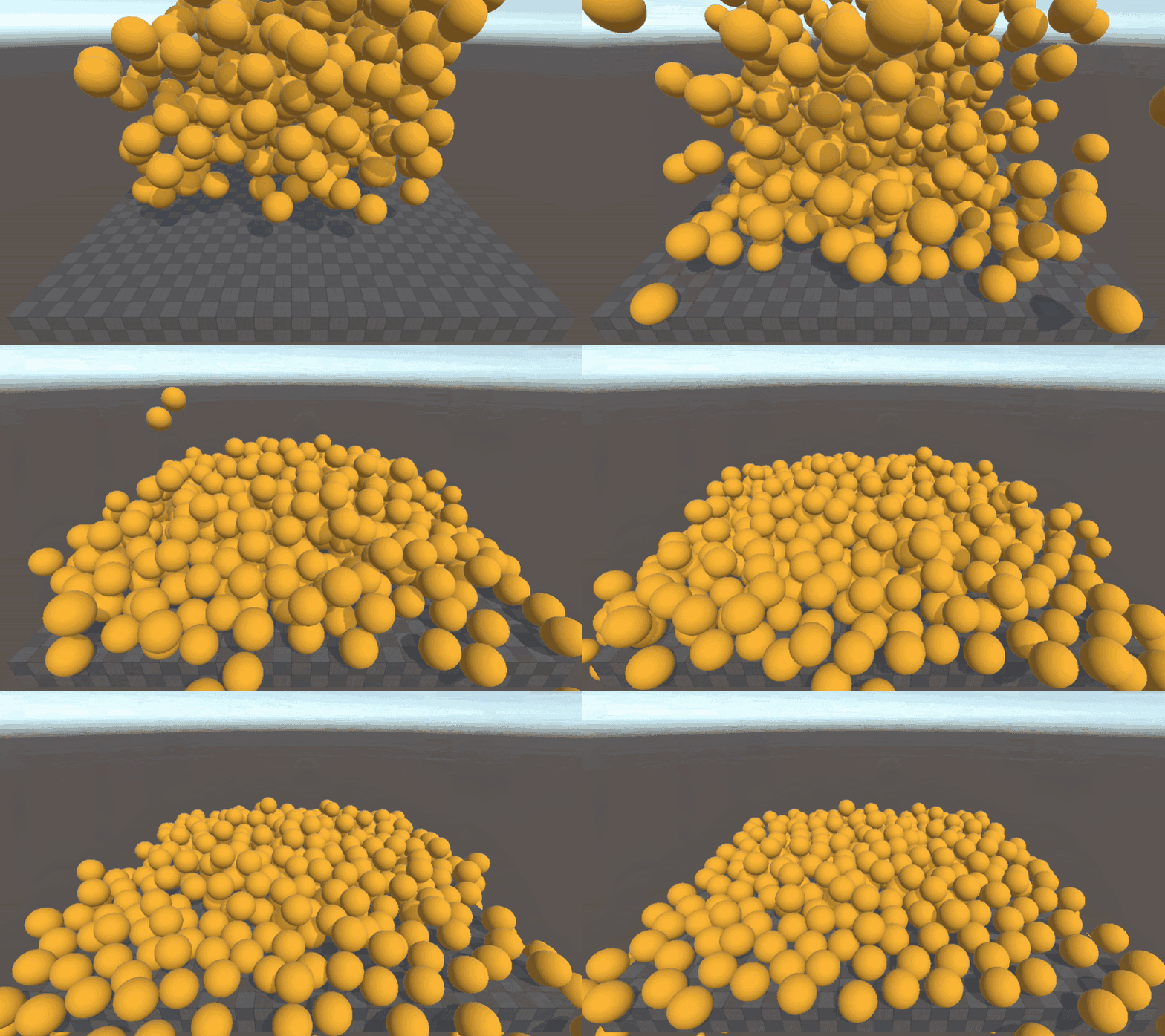
Another option is to use the SpawnRandomObjectsAuthoring script used in some of the Unity Physics Samples. By baking GameObjects with this component, you can instantiate several copies of a baked prefab and set the LocalTransform values for them.
This approach is usually sufficient. For better performance, you can also let Unity Physics know that multiple bodies share the same Collider. The PhysicsCollider, especially in the case of Convex Hull or Mesh shape colliders, can be expensive to create when first seen, so if you know it is the same as another body and it can be shared, set the PhysicsCollider to say so.
- Save your Sphere GameObject (previously created) as a Prefab: drag the GameObject from the Hierarchy into the project window.
- Add a GameObject with the
SpawnRandomObjectsAuthoringscript attached to it. - Set the Count to 1000.
- Set the Range to (5,5,5).
- Enter Play mode.
Create bodies from scratch
The above example used a pre-existing prefab you set up in the Unity Editor, so it glosses over some of what you needed to add, but was close.
Here is code similar to CreateBody from the BasicPhysicsDemos in the Unity Physics Samples. The Colliders are stored in highly optimized structures, so some of the interaction with them is via unsafe raw pointers. To compile this code, enable Allow unsafe code in your assembly definition. You can add the example method below to your script to create a Physics Body from scratch.
This is the method to create bodies:
using UnityEngine;
using Unity.Entities;
using Unity.Mathematics;
using Unity.Physics;
using Unity.Rendering;
using Unity.Transforms;
using Collider = Unity.Physics.Collider;
using Unity.Collections.LowLevel.Unsafe;

public partial class SphereFromScratchSpawningSystem : SystemBase
{
    protected override void OnUpdate()
    {
        var sphere = GameObject.CreatePrimitive(PrimitiveType.Sphere);
        var renderer = sphere.GetComponent<MeshRenderer>();
        var mesh = sphere.GetComponent<MeshFilter>().mesh;

        var renderMeshDescription = new RenderMeshDescription(renderer);
        var renderMeshArray = new RenderMeshArray(new[] { renderer.material }, new[] { mesh });
        var materialMeshInfo = MaterialMeshInfo.FromRenderMeshArrayIndices(0, 0);
        Object.DestroyImmediate(sphere);

        var entity = CreateDynamicSphere(EntityManager, renderMeshArray, materialMeshInfo, renderMeshDescription, 1, 0.5f, new float3(0, 5, 0), quaternion.identity);
        EntityManager.SetName(entity, "Sphere");

        Enabled = false;
    }

    private Entity CreateDynamicSphere(EntityManager entityManager, RenderMeshArray renderMeshArray, MaterialMeshInfo materialMeshInfo, RenderMeshDescription renderMeshDescription, int uniformScale,  float radius, float3 position, quaternion orientation)
    {
        SphereGeometry sphereGeometry = new SphereGeometry
        {
            Center = float3.zero,
            Radius = radius
        };

        // Sphere with default filter and material. Add to Create() call if you want non default:
        BlobAssetReference<Unity.Physics.Collider> sphereCollider = Unity.Physics.SphereCollider.Create(sphereGeometry, CollisionFilter.Default);
        return CreateBody(entityManager, renderMeshArray, materialMeshInfo, renderMeshDescription, position, orientation, uniformScale, sphereCollider, float3.zero, float3.zero, 1.0f, true);
    }

    private unsafe Entity CreateBody(EntityManager entityManager, RenderMeshArray renderMeshArray, MaterialMeshInfo materialMeshInfo, RenderMeshDescription renderMeshDescription,  float3 position,
        quaternion orientation, float uniformScale, BlobAssetReference<Collider> collider, float3 linearVelocity,
        float3 angularVelocity, float mass, bool isDynamic)
    {
        ComponentType[] componentTypes = new ComponentType[isDynamic ? 8 : 4];

        componentTypes[0] = typeof(LocalTransform);
        componentTypes[1] = typeof(LocalToWorld);
        componentTypes[2] = typeof(PhysicsCollider);
        componentTypes[3] = typeof(PhysicsWorldIndex);
        if (isDynamic)
        {
            componentTypes[4] = typeof(PhysicsVelocity);
            componentTypes[5] = typeof(PhysicsMass);
            componentTypes[6] = typeof(PhysicsDamping);
            componentTypes[7] = typeof(PhysicsGravityFactor);
        }
        Entity entity = entityManager.CreateEntity(componentTypes);

        RenderMeshUtility.AddComponents(entity, entityManager, renderMeshDescription, renderMeshArray, materialMeshInfo);

        entityManager.SetComponentData(entity, new LocalTransform
        {
            Position = position,
            Rotation = orientation,
            Scale = uniformScale
        });

        if (uniformScale != 1.0f)
        {
            entityManager.AddComponentData(entity, new PostTransformMatrix
            {
                Value = float4x4.Scale(uniformScale)
            });
        }

        entityManager.SetComponentData(entity, new PhysicsCollider
        {
            Value = collider
        });

        //By default Physics simulation happens in PhysicsWorldIndex 0.
        EntityManager.AddSharedComponentManaged(entity, new PhysicsWorldIndex
        {
            Value = 0
        });

        if (!isDynamic) return entity;

        Collider* colliderPtr = (Collider*)collider.GetUnsafePtr();
        entityManager.SetComponentData(entity, PhysicsMass.CreateDynamic(colliderPtr->MassProperties, mass));
        /*entityManager.SetComponentData(entity, new PhysicsMass
        {
            Transform = new RigidTransform
            {
                pos = new float3(0, 0, 0),
                rot = quaternion.identity
            },
            InverseMass = 1,
            InverseInertia = new float3(10, 10, 10),
            AngularExpansionFactor = 0
        });*/

        // Calculate the angular velocity in local space from rotation and world angular velocity
        float3 angularVelocityLocal = math.mul(math.inverse(colliderPtr->MassProperties.MassDistribution.Transform.rot), angularVelocity);
        entityManager.SetComponentData(entity, new PhysicsVelocity()
        {
            Linear = linearVelocity,
            Angular = angularVelocityLocal
        });

        entityManager.SetComponentData(entity, new PhysicsDamping()
        {
            Linear = 0.01f,
            Angular = 0.05f
        });

        entityManager.SetComponentData(entity, new PhysicsGravityFactor
        {
            Value = 1
        });

        return entity;
    }
}
Note
The bodies created aren't part of any specific subscene, even though they're entities.