About Tutorial Framework
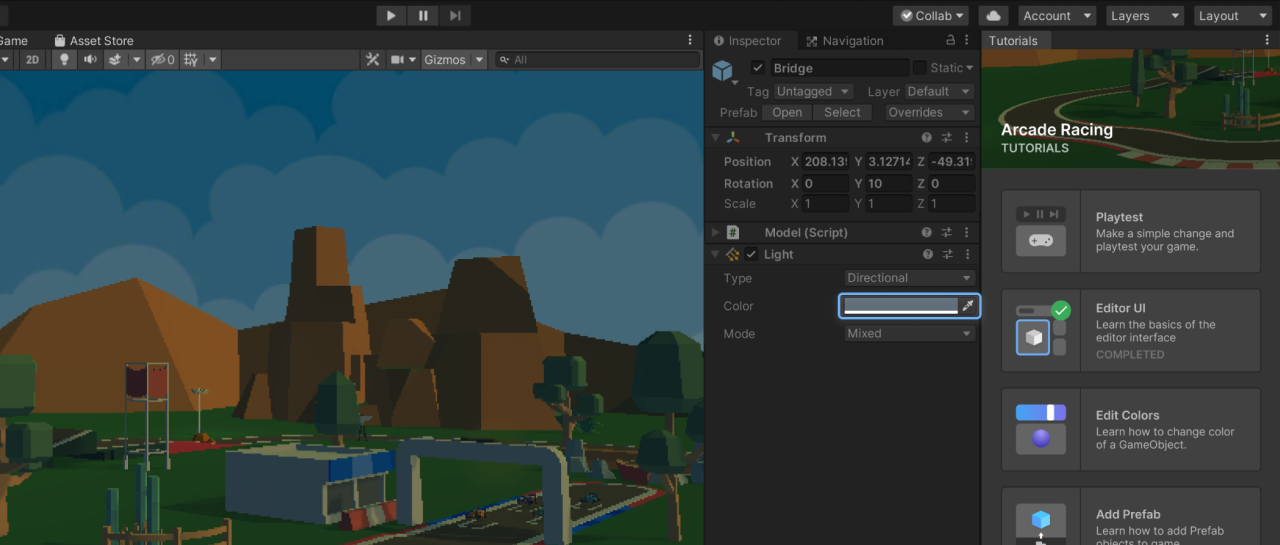
The Tutorial Framework package is used to display interactive in-Editor tutorials (IETs) inside Unity projects.
This package is required for IETs to be experienced as a user.
Note
If you are looking to create and edit tutorials, you need to install the Tutorial Authoring Tools package in addition to this one.
Installation
- From the main menu of the Unity Editor, select Window > Package Management > Package Manager.
- From the navigation panel, select Unity Registry.
- Search for “Tutorial Framework”, then click Install.
Requirements
This version of Tutorial Framework is compatible with the following versions of the Unity Editor:
- Unity 6.5 and newer