Troubleshooting
Reporting Problems
We are actively working on new and existing issues affecting the Shotgun package.
In case you are blocked, please send the following data to us (in Fogbugz or in the Forums):
- Your Unity Editor log
- The contents of %APPDATA%/Shotgun/Logs
- The content of the Python console running python.exe (client)
Problems relating to the Unity Hub
Always quit the Unity Hub between sessions
Launching Unity from Shotgun will bring up the Unity Hub. The Unity Hub will keep running after Unity is launched, and will be brought back every time you launch Unity from Shotgun. This is problematic if you need to launch Unity from a different Shotgun context, as the Unity Hub will retain the first environment variables it was launched with (the first Shotgun context).
It is important to quit the Unity Hub between launches of Unity.
There is a known issue with the Unity Hub 2.2.1 that prevents environment variables from being transferred to the Unity Editor. The workaround is to upgrade the Unity Hub to a more recent version.
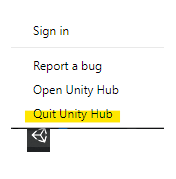
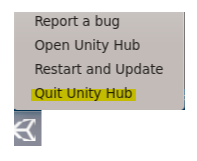
On Windows and CentOS, use the system tray icon:
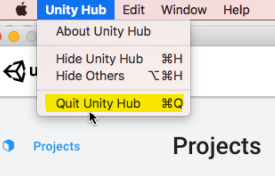
On Mac, use the menu bar: