Loading Shotgun Content into Unity
Use the Shotgun Loader app to import content published to Shotgun into your Unity Project:
- Open the Loader app by selecting Shotgun > Load.. from the top level Unity menu
- Browse to the desired asset to load into Unity
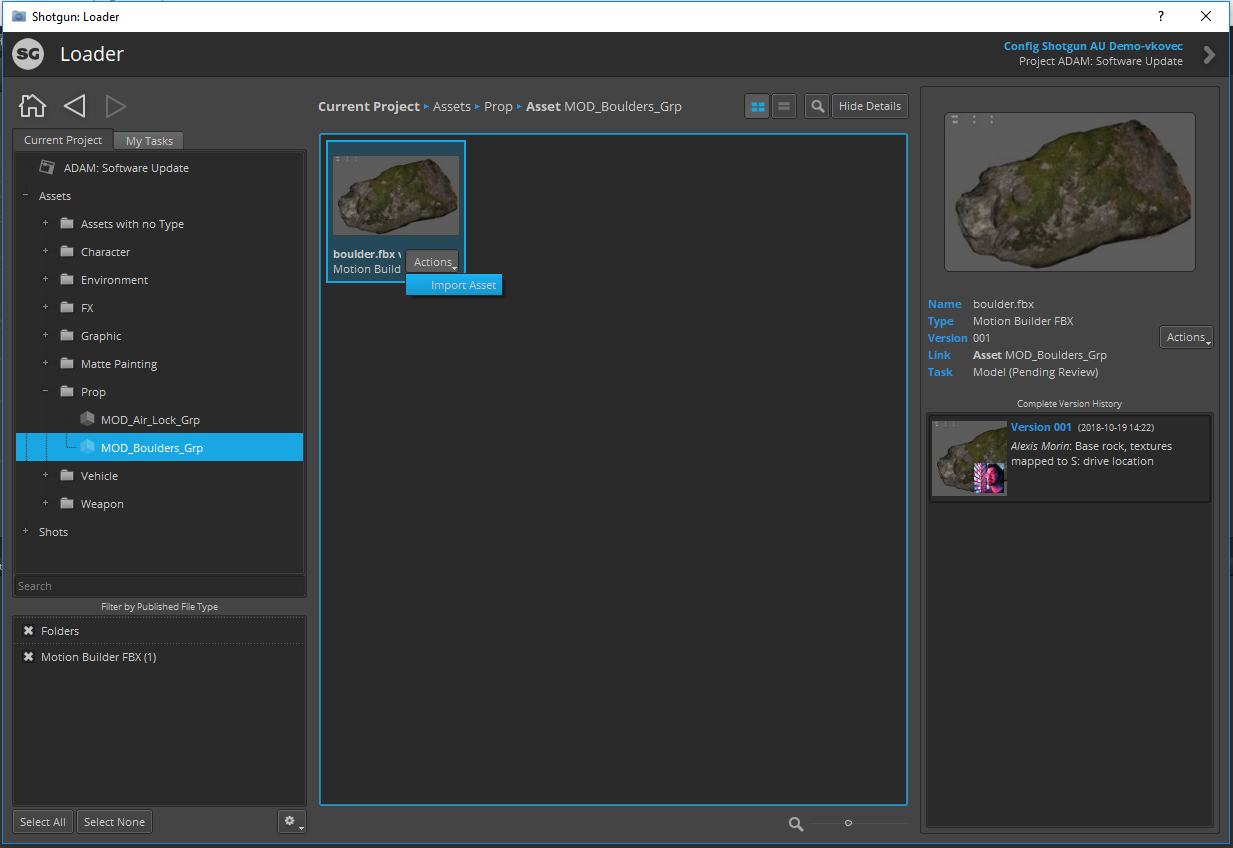
- Load the desired asset(s) by either right-clicking the asset and selecting "Import Asset", selecting Actions > Import Asset, or double clicking on the asset in the browser
- Select the location under Assets to import the asset into
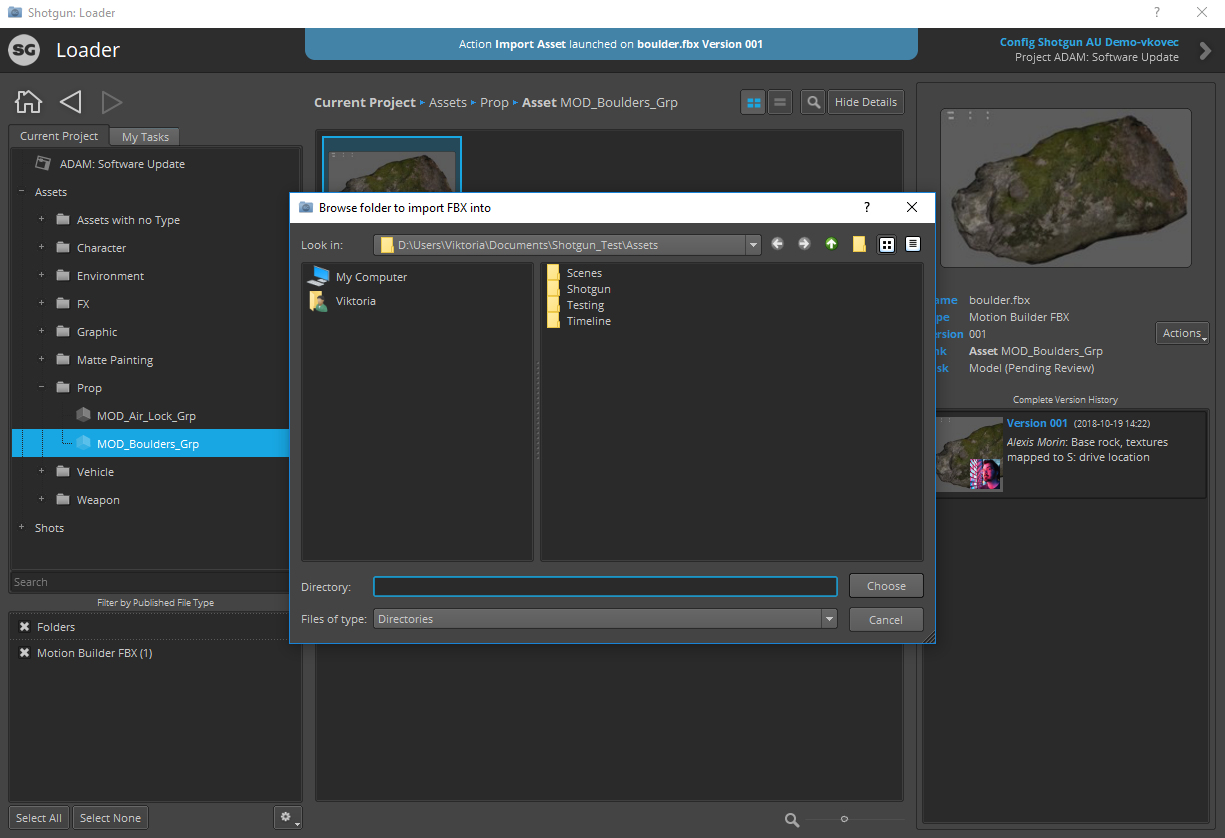
Note: Currently only FBX file import is supported