Assign an existing action asset as project wide
You can assign an existing action asset as project wide in Project Settings, or from the asset's Inspector window.
To assign an action asset as project wide in Project Settings:
Go to Edit > Project Settings > Input System Package.
Drag the asset from the Project window into Project-wide Actions.
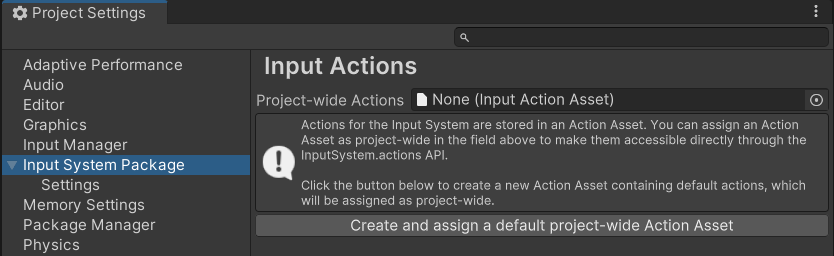
The Input System Package settings with no project wide actions assigned.
To assign an action asset as project wide from the Inspector window:
- In the Project window, select the action asset.
- In the Inspector window, select Assign as the Project-wide Input Actions.
You can assign only one action asset as project wide. If you assign a different asset, the previous asset stops being project wide.
Stop using an asset as project wide
To stop using an action asset as project wide:
- Go to Edit > Project Settings > Input System Package.
- Set Project-wide Actions to None.
The asset stays in your project, but InputSystem.actions becomes null, and the Input System no longer enables the asset's actions automatically. To use the actions, reference the asset from your scripts and enable its action maps yourself. For more information, refer to Enable actions.