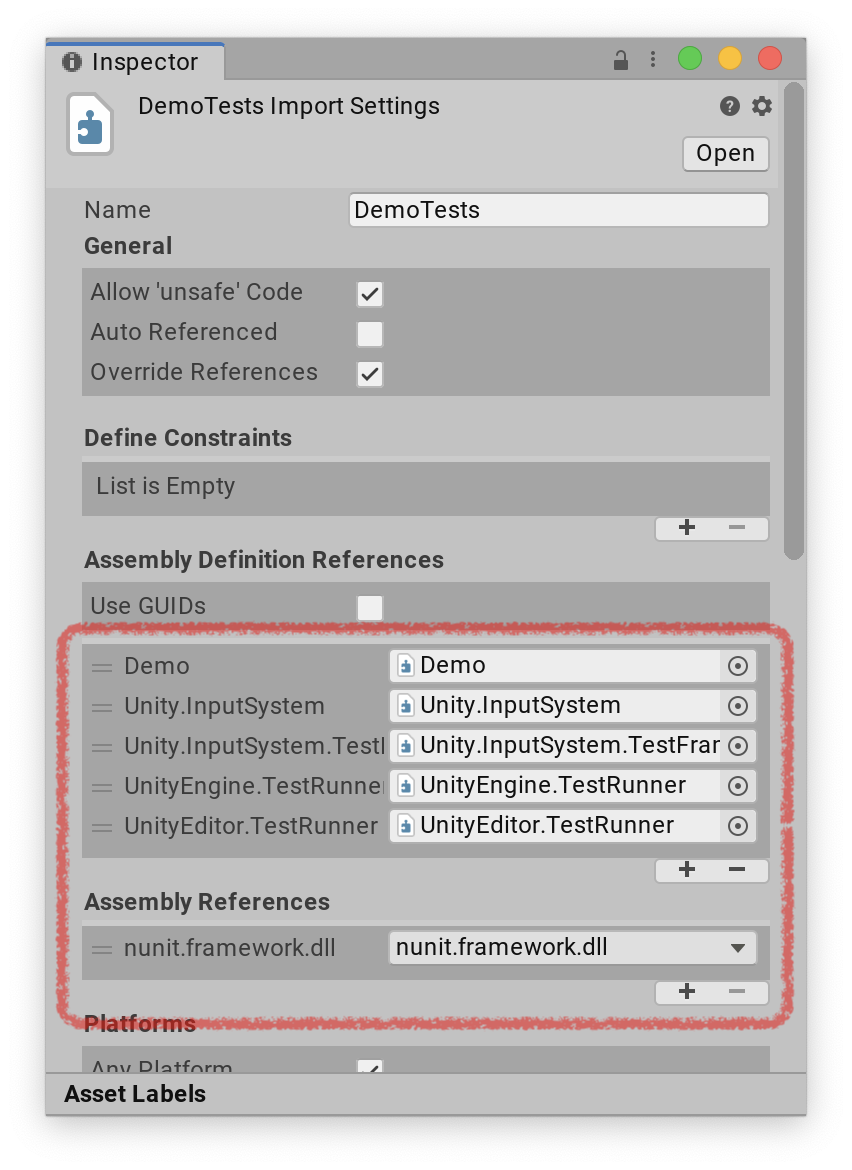
Set up test assemblies
To set up a test assembly that uses the Input System's automation framework, follow these steps:
In the
Packages/manifest.jsonfile of your project,com.unity.inputsystemmust be listed intestables. This is necessary for test code that comes with the package to be included with test builds of your project.
You can, for example, add this after thedependenciesproperty like so:}, "testables" : [ "com.unity.inputsystem" ]Create a new assembly definition (menu: Create > Assembly Definition) or go to an assembly definition for a test assembly that you have already created.
Add references to
nunit.framework.dll,UnityEngine.TestRunner, andUnityEditor.TestRunner(as described in How to create a new test assembly), as well asUnity.InputSystemandUnity.InputSystem.TestFrameworkfor the Input System.