Changing the lighting (reflection map) of your shot
You can light your product with different realistic images. You can use any panoramic image that you import into Forma Render.
Selecting different lighting for your shot
Note
Before making changes to the lighting, you must first go to Stage and select a dome.
To select different lighting for your shot:
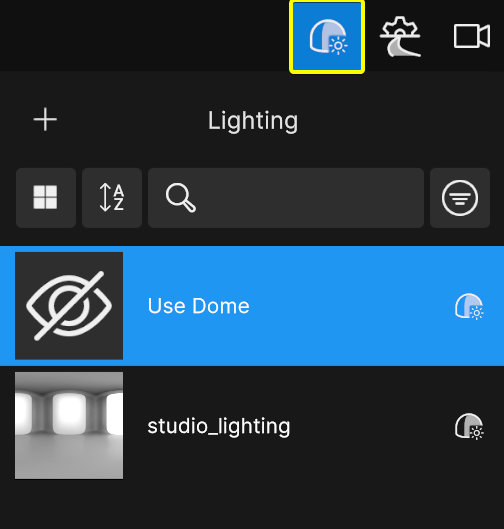
- Go to Lighting
- Choose from the available panoramic images. You can also use the currently selected dome by selecting Use Dome.
Adding new lighting for your shot using a panoramic image
To add new lighting using a panoramic image (HDR, EXR, JPG) you created in an external application:
- Select the Add (+) button.
- Navigate to the image file you want to import.