Loading more Products into Forma Render
When you launch Forma Render from the Unity Forma Editor, the application automatically populates with any Products you have set up for your configurator in the project you have open. If you want to use Forma Render to create shots from other projects, you must load them separately as Addressable Assets.
Note: You can only load Products in Forma Render as Addressable Assets.
Loading a new Product involves moving the Addressable Assets from their current location to the Product Gallery folder in the Forma Render Assets folder and then opening them in the Forma Render user interface.
Before you start
To import a new Product into Forma Render, you must export it from the Unity Forma Editor as an Addressable Asset.
When Unity Forma exports a Product as an Addressable Asset, it creates the following folders:
- Addressable Assets package (primary package)
- Resource Manager package (dependency)
- Scriptable Build Pipeline package (dependency)
You must have all of these folders for your Addressable Asset before you start.
Important: You must have both the Addressable Asset bundle folders and the catalog folder to load your Product correctly in Forma Render.
Building local Product Addressable Assets in Unity Forma
To build only the Addressable Assets for a given product in Forma, follow these steps:
- In the Configurator panel, select the Build tab on the Configurator panel.
- Under General from Build Type, select None.
- Select the Product(s) you want to build as Addressable Assets.
- Under Product, select Local.
- Select the Build button.
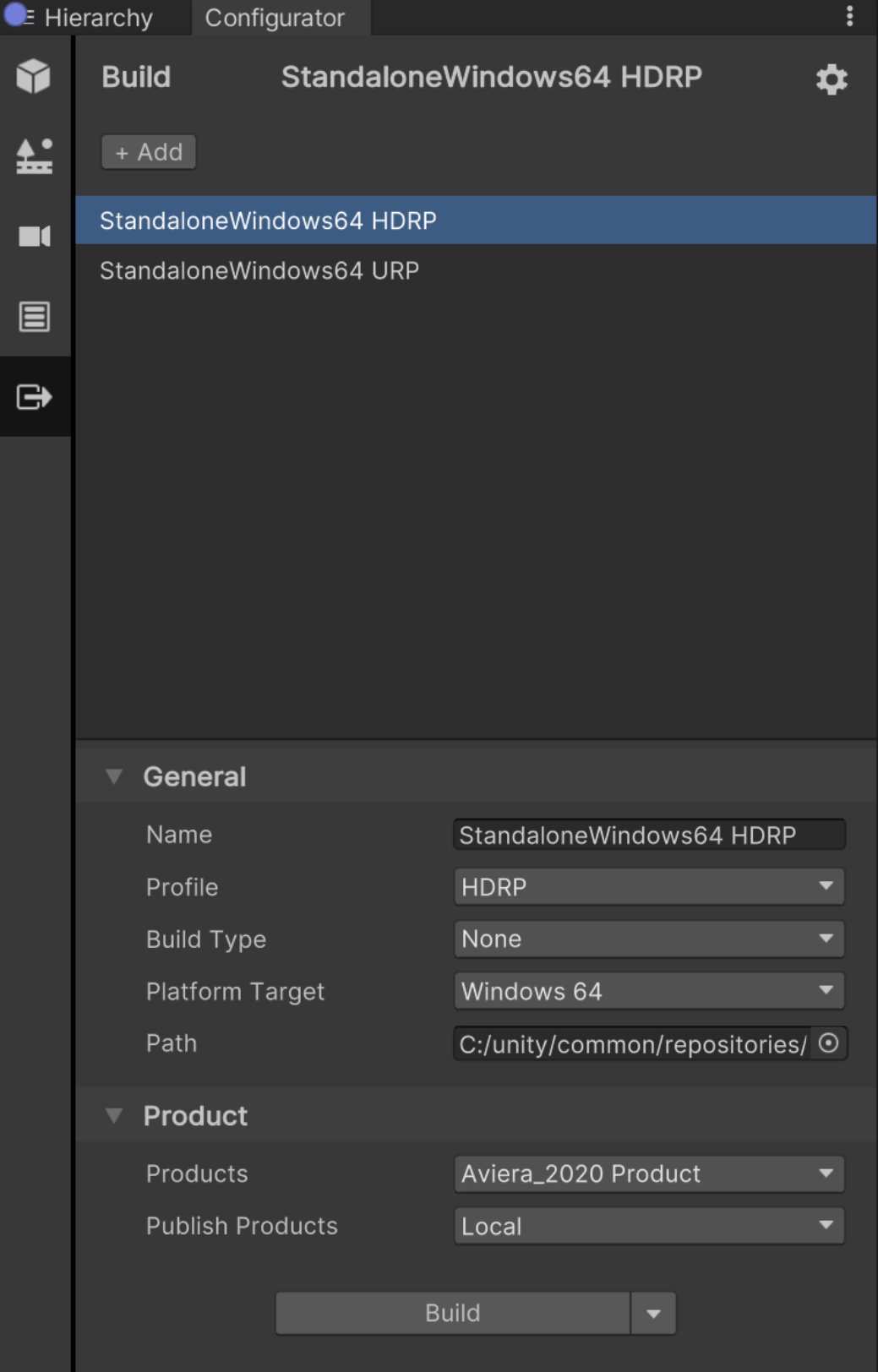
When the build is completes, a success message appears and prompts you to open the build folder. - Open the build folder and copy the three files that the build generated for the Addressable Assets (the Asset bundles, catalog file, and hash file). The files look like this:

Now, you can import the Addressable Assets into Forma Render.
Importing the local Addressable Assets into Forma Render
To import the local Addressable Assets as a Product in Forma Render, follow these steps:
- Open Forma Render (as an executable application or from Unity Forma).
- Copy the three generated files produced by the Unity Forma build to the Products Gallery folder of Forma Render: **~\MyDocuments\Render Studio v[versionNumber]\products **.
- Switch back to Forma Render, the new Products appear in the Product dropdown for you to select from in the Configurator panel.