Sample: UnityEditorServiceAuthorizer sample
The UnityEditorServiceAuthorizer sample demonstrates how you can use the UnityEditorServiceAuthorizer.instance in an EditorWindow to fetch information about the user currently signed in to the Unity Editor.
Read more about the UnityEditorServiceAuthorizer class.
Before you start
Before you can use the UnityEditorServiceAuthorizer sample, make sure you have the following:
- An installed Identity package.
- A valid Unity ID Account.
Install the sample
To install the sample, follow these steps:
In the Unity Editor, go to Window > Package Manager > Unity Cloud Identity.
Expand the Samples section.
Select Import next to
UnityEditorServiceAuthorizer.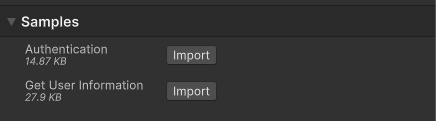
After the import process completes, you can view the imported assets under the
Assets/Samples/Unity Cloud Identityfolder.
Run the sample
To run the sample, follow these steps:
- In the Unity Editor, go to Unity Cloud > Samples and select the UnityEditorServiceAuthorizer Sample menu item.
- Your username displays in a Label GUILayout element inside a custom
EditorWindow.
UnityCloudIdentityWindow script
The UnityCloudIdentityWindow class uses the UnityEditorServiceAuthorizer.instance as an IUserInfoProvider to retrieve information about the user currently signed in to the Unity Editor.
The AuthenticationStateChanged event of the UnityEditorServiceAuthorizer.instance is registered in the OnEnable method and unregistered in the OnDisable method of the script. When a user signs in, the AuthenticationStateChanged event handler triggers the IUserInfoProvider.GetUserInfoAsync() method to fetch the username of the user currently signed in to the Unity Editor.
Note
The AuthenticationState class updates when the Unity Editor launches and whenever a user signs in or out from the Unity Editor.
To open the UnityCloudIdentityWindow script, go to the Assets/Samples/Unity Cloud Identity/<package-version>/UnityEditorServiceAuthorizer/Scripts/UnityCloudIdentityWindow.cs file.
Troubleshooting
In case of issues with the UnityEditorServiceAuthorizer sample, refer to troubleshooting.