Troubleshooting
This section describes errors or problems you might encounter when you use the Unity Cloud Identity package.
Getting started issues
Runtime errors appeared when building the package
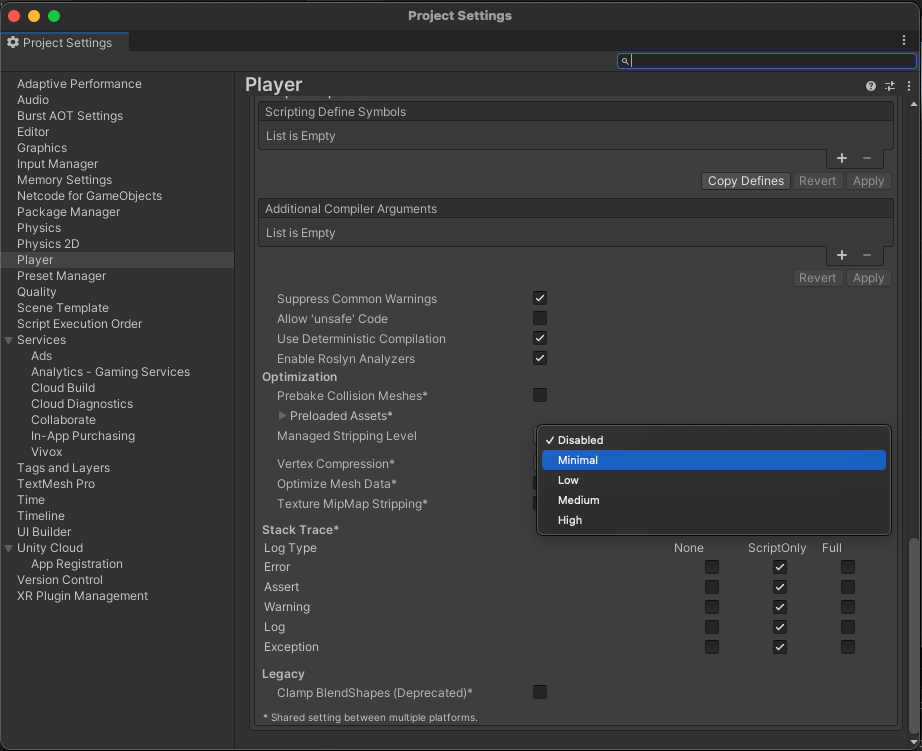
To avoid runtime errors when building with the Unity Cloud Identity package, follow these steps:
Open your application project in the Unity Editor.
Go to Edit > Project settings.
Select Player.
Expand Other settings and go to Optimization.
Set Managed stripping level to Disabled.
Note
If the Disabled option isn't available, select Minimal.
Sample issues
Nothing happens when I select something
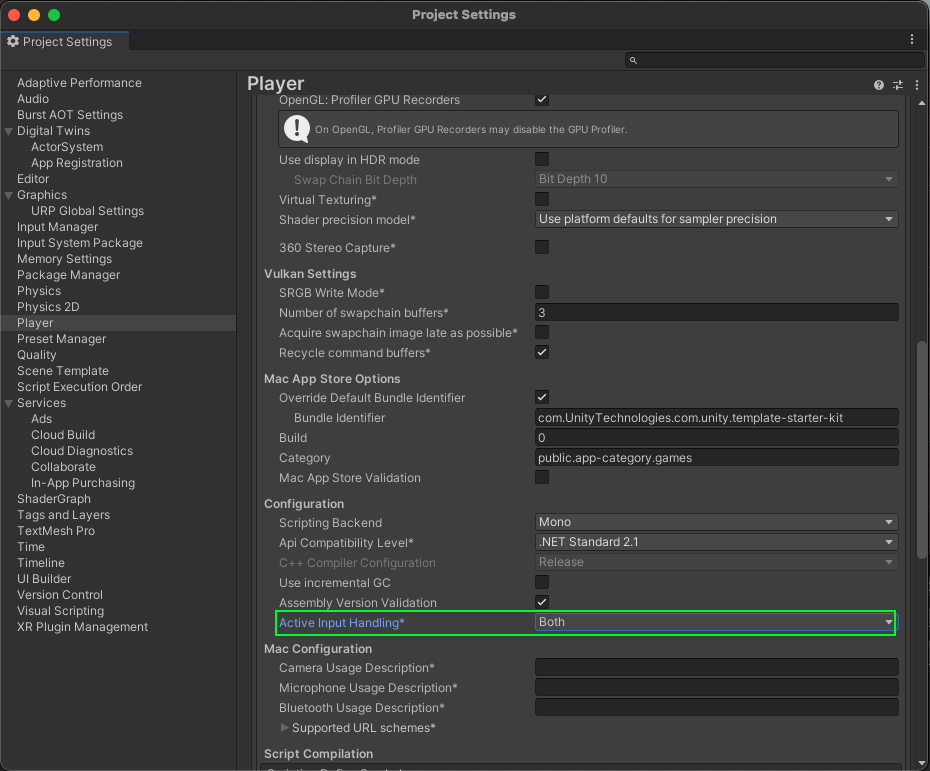
The samples of the Unity Cloud Identity package aren't designed to run with the Input System package. If you use the Input System package in your Unity Editor project, Unity might not be able to detect your mouse selections.
Solution: Set your project to support both the built-in input system and the Input System package as follows:
- Open your application project in the Unity Editor.
- Go to Edit > Project Settings.
- Select Player.
- Expand Other settings and go to Configuration.
- Set Active Input Handling to Both.