Troubleshooting
This section describes errors or problems you can encounter when you use the Unity Cloud Identity package.
Getting started issues
Runtime errors appeared when building the package
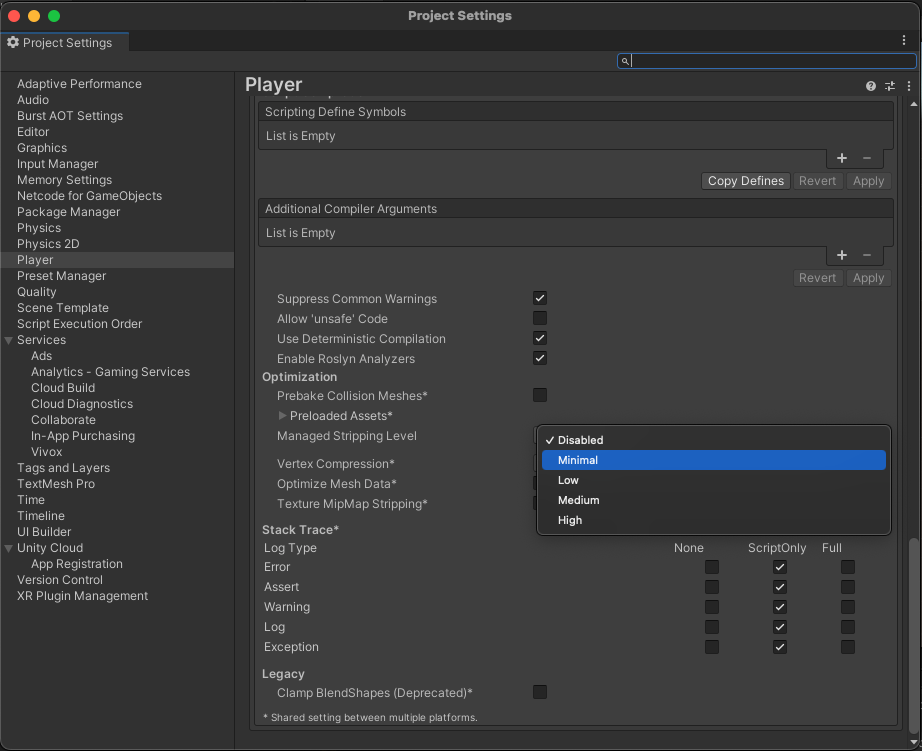
To avoid runtime errors when building with this package, follow these steps:
- In your Unity Editor Project window, go to Edit > Project settings.
The Project setting window opens. - Select the Player option.
- Scroll to the Additional Compiler Arguments section.
- Set the Managed stripping level option to:
- Disabled
or - Minimal (if the Disabled option isn't available)
Samples issues
Nothing happens when I select something
This sample isn't created to run with the Input System package. If you are using this package in your Unity Editor Project, your mouse selections may not be detected.
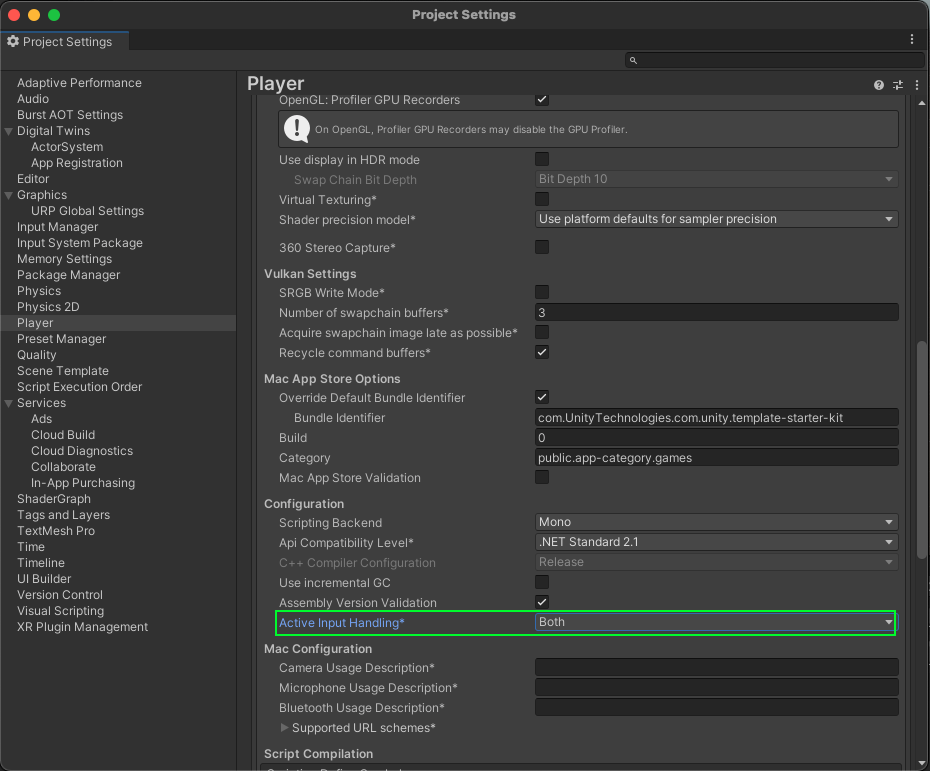
To fix this, set your Project to support both the built-in input system and the Input System package:
- Go to Edit > Project Settings > Player.
- Set Active Input Handling to Both.
The automatic browser redirection doesn't work
If you run the sample in the Unity Editor, you will see the following page after you successfully log in through your browser.
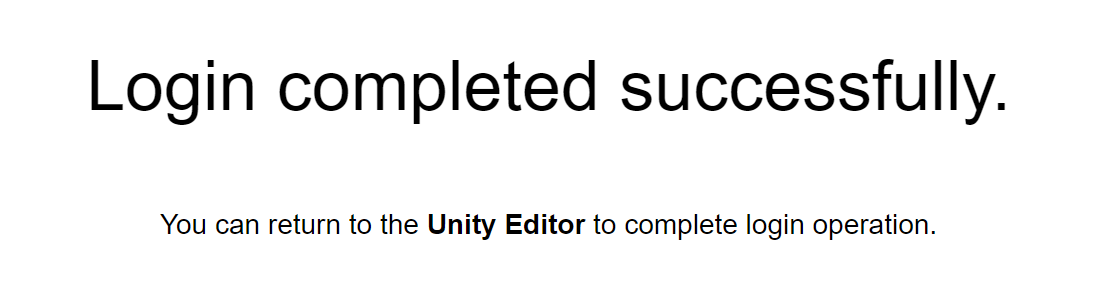
If the browser fails to redirect you to the Editor, and selecting Launch Application does nothing, return to the Editor. Manually returning to the continues the authentication process.