Stream a model from the StreamingAssets of a Unity Editor project
You can use this sample to stream a model from the Unity Editor project StreamingAssets directory. You can choose which model to view and move the camera around the model to see the data streaming function.
Before you start
Before you use the Data Streaming Offline sample, you must have the following:
- Installed Data Streaming package and its dependencies
- At least one Unity Cloud model downloaded in the
StreamingAssetsdirectory of your project
Important
This sample is designed to work on PC and may not behave as expected on other platforms like iOS and Android.
Install the sample
To install the sample, follow these steps:
In your Unity project, go to Window > Package Manager > Unity Cloud Data Streaming.
Expand the Samples section.
On the right of the Offline sample, select Import.
After the import process completes, you can view the imported assets under the
Assets/Samples/Unity Cloud Data Streamingfolder.
Run the sample
To run the sample, follow these steps:
Copy your downloaded dataset into the
Assets/StreamingAssetsfolder.1In your Unity Editor project, go to File > Open Scene.
Go to
Assets/Samples/Unity Cloud Data Streaming/<package-version>/Offline Sample/Scenes/OfflineSample.unity.Select the OfflineSample game object in the Hierarchy window.
In the Inspector window, in the Path field, enter the tileset.json file path without the
Assets/StreamingAssetsprefix. For example, if your dataset is inAssets/StreamingAssets/MyModel/tileset.json, enterMyModel/tileset.json.1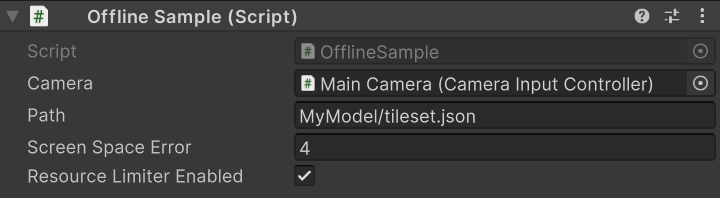
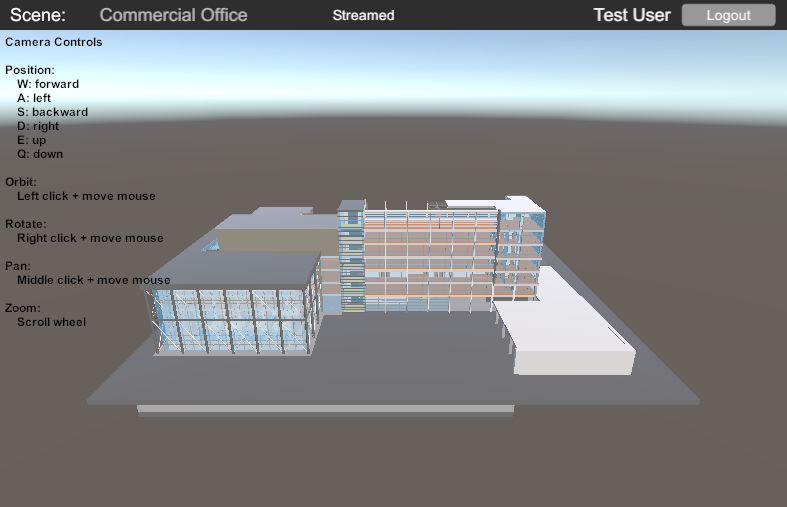
Run the scene.
Instructions on how to navigate the scene are on the screen.
Main components
This section describes the scripts that make up the offline sample.
Offline sample script
The OfflineSample class demonstrates how the DataStreamer is used to launch a model. The selected
model is provided as an string parameter. The string parameter passes to the DataStreamer, which loads and displays the associated model.
To open the offline sample script, go to the Assets/Samples/Unity Cloud Data Streaming/<package-version>/Offline Sample/Scripts/OfflineSample.cs file.
Troubleshooting
Refer to the troubleshooting section for help with the Offline sample.
1 Until model publication is available, use the OfflineDataset/tileset.json and OfflineDataset/box.glb files part of this sample. They already are in the StreamingAssets directory.