Sample: Manage metadata field definitions
You can use the Metadata Management sample to list and manage the metadata field definitions in your organization.
Note
To create, delete, and edit the field definitions of an organization, you need the Asset Manager Admin role at the organization level.
Before you start
Before you can use the Metadata Management sample, make sure you have the following:
- An installed Assets package.
- An installed Identity package.
- A valid Unity ID Account.
- Access to your Unity Gaming Services account.
- A Unity Project with the Asset Manager service enabled. Read more about creating a Unity project.
- Access to the Asset Manager service
Note
Although the Assets package itself does not depend on the Identity service, this service is used in the sample to control the authentication process.
Install the sample
To install the sample, follow these steps:
In your Unity Project window, go to Package Manager > Unity Cloud Assets.
Expand the Samples section.
On the right of the Collection Management sample, select Import.

After the import process completes, you can see the imported samples under the
Assets/Samples/Unity Cloud Assetsfolder.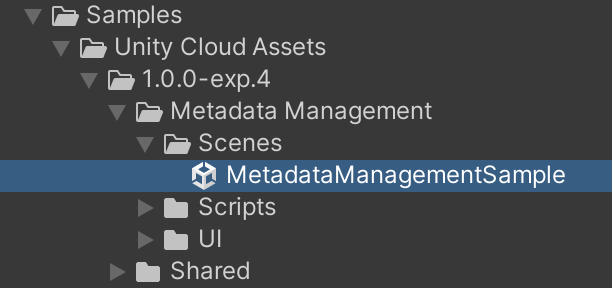
Run the sample
To run the sample, follow these steps:
Go to
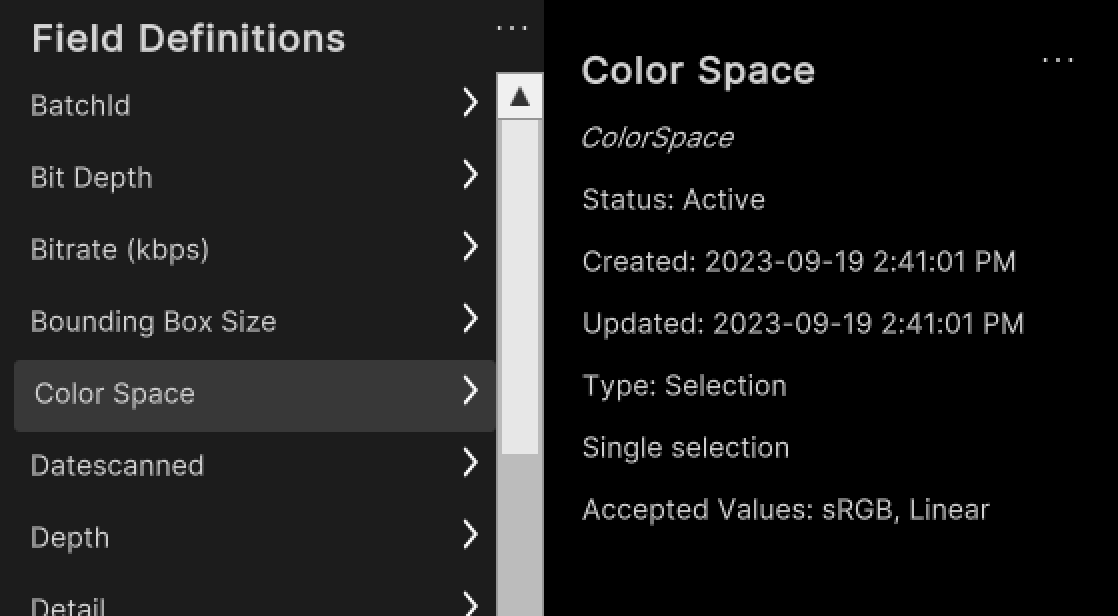
Assets/Samples/Unity Cloud Assets/<package-version>/Metadata Management/Scenes/MetadataManagementSample.unityand run the scene.Select an organization. The left column displays the list of field definitions from that organization.

Select a field definition to display its information.
Create a new metadata field definition
To create a new field definition, follow these steps:
Next to the
Field Definitionslabel, select the ... button to open the shortcut menu.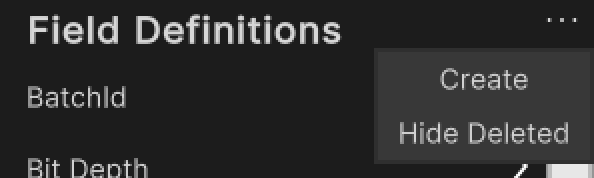
Select Create.
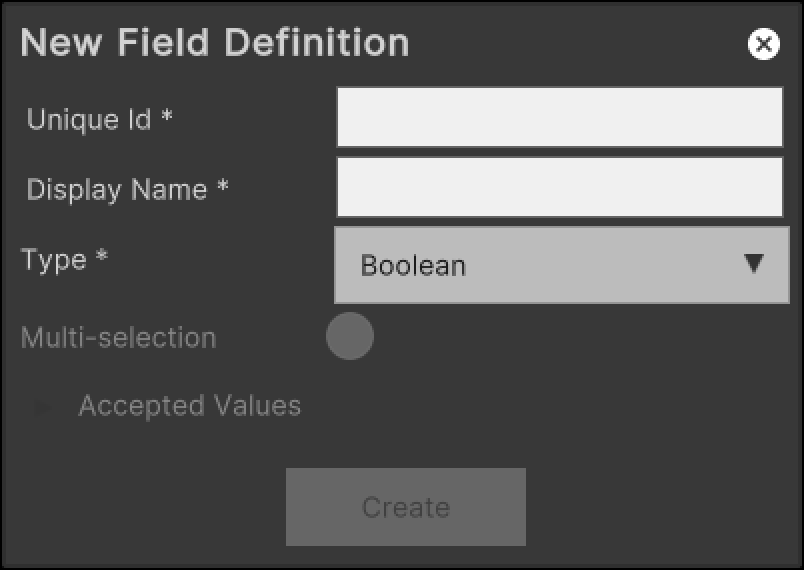
Enter a unique ID and a display name for the field definition.
Select a type for the field definition.
(Optional) If you selected
Selectionas the type, enter the accepted values.Select Create.
Edit an existing metadata field definition
To edit an existing field definition, follow these steps:
Select an entry in the list.
Next to the display name, select the ... button to open the shortcut menu.
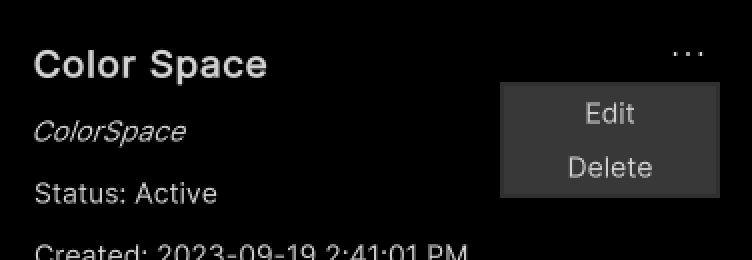
Select Edit.
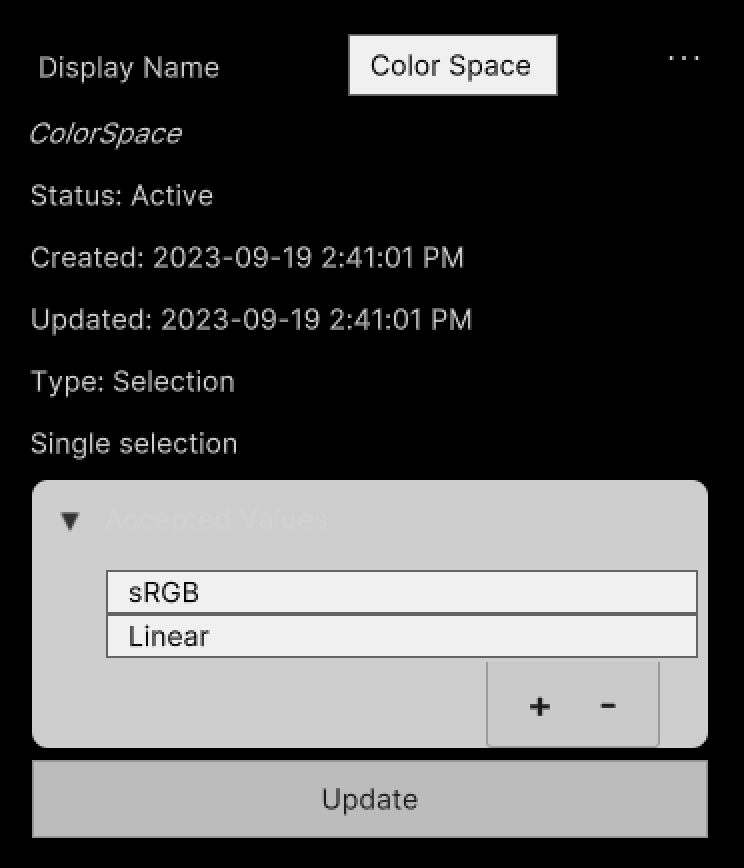
Enter a new display name for the field.
If the field is of the
Selectiontype, update the list of accepted values.Select Update.
Delete an existing metadata field definition
To delete an existing collection, follow these steps:
Select an entry in the list.
Next to the display name, select the ... button to open the shortcut menu.
Select Delete.
Main components
This section describes the scripts that make up the main components of the Metadata Management sample.
Platform services script
The PlatformServices class handles the initialization and disposal of dependencies necessary for the IAssetRepository interface. You can use this class to retrieve the IFieldDefinition interface you want to modify.
To open the platform services script, go to your Assets/Samples/Unity Cloud Assets/<package-version>/Shared/Scripts/Services/PlatformServices.cs file.
The PlatformServices class includes two associated classes, PlatformServicesInitialization and PlatformServicesShutdown, which use Unity's standard Monobehaviour methods—Awake(), Start(), and OnDestroy()—to execute the initialization and shutdown methods.
Field definition controller script
The FieldDefinitionController class inherits from the OrganizationController class, which enables signing into your application and uses your ID to grant access to the Collection Management sample. Read more about authentication.
The FieldDefinitionController class uses the IOrganizationRepository of the PlatformServices class to retrieve the list of your organizations.
The FieldDefinitionController class uses the IAssetRepository of the PlatformServices to retrieve the list of field definitions for the selected organization.
To open the field definition controller script, go to your Assets/Samples/Unity Cloud Assets/<package-version>/MetadataManagement/Scripts/Controllers/Field.cs file.
Metadata management sample script
The Metadata shows you how to do the following:
- Integrate the login flow with the
FieldDefinitionControllerclass. - Retrieve organizations and field definitions from the Asset Manager service.
To open the metadata management sample script, go to your Assets/Samples/Unity Cloud Assets/<package-version>/MetadataManagement/Scripts/MetadataManagementSample.cs file.
Metadata field definition panel
The Metadata field definition panel includes the following components:
- The
FieldDefinitionPanelControllerclass displays the information of anIFieldDefinitioninterface. - The
CreateFieldDefinitionPopupControllerclass displays the necessary fields to create a new field definition.
Shared UI scripts
The UI sample includes a set of UI scripts and prefabs used by Unity Cloud Assets samples. To open shared UI scripts, go to Assets/Samples/Unity Cloud Assets/<package-version>/Shared/Scripts/Controllers.
Troubleshooting
In case of issues with samples, refer to troubleshooting.