Nulls
| Note |
|---|
| To use Bolt, which is Unity's visual scripting solution, download it from the Unity Asset Store. |
Under the Nulls category, you will find units that help you deal with the dreaded null value, which is just scripting lingo for "nothing".
Null
The null node simply always returns null as a value. You will not need it often, because leaving a Unity object reference field empty ("None") already means null.
Null Check
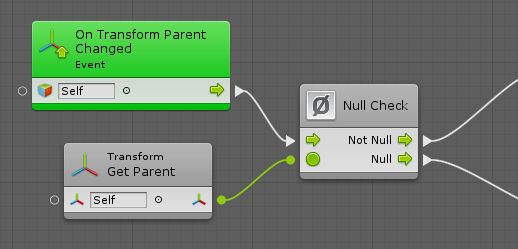
The null check is a shortcut for a branch on an equality comparison with null. It can be useful to execute direct the flow in different directions depending on whether a value is null.
For example, you could use it to handle a situation differently whether a transform has a parent in the hierarchy or not:
Null Coalesce
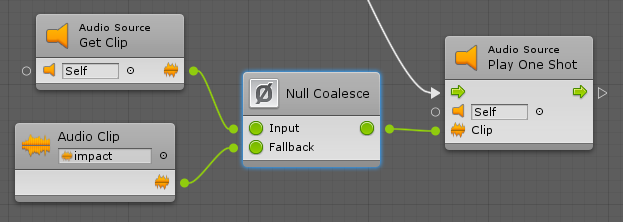
The null coalesce unit allows you to provide a fallback value in case the original input is null.
For example, here, the null coalesce unit defines a default fallback audio clip in case the one on the audio source was missing: