NavMeshModifierVolume
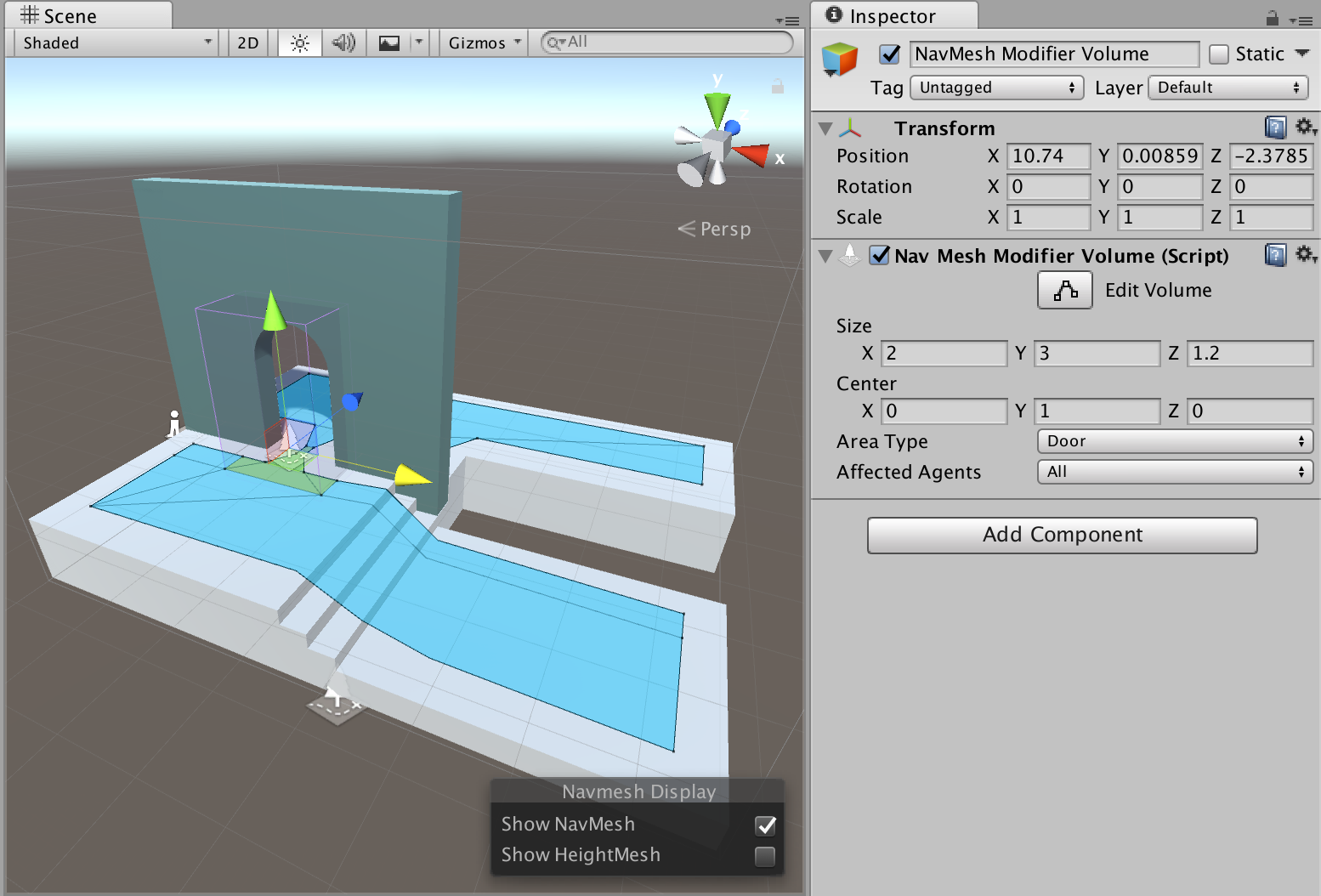
NavMesh Modifier Volume allows you to mark the area that falls inside the volume with specific area type. Where NavMesh Modifier marks certain objects with an area type, the Modifier Volume allows change the area type even more locally based on a volume.
The modifier is useful for annotating certain areas over walkable surfaces which might not be represented as separate geometry, e.g. danger areas. It can be even be used to make certain areas non-walkable.
The NavMesh Modifier Volume affects the NavMesh generation process, this means the NavMesh has to be updated to reflect changes to NavMesh Modifier Volumes.
Parameters
- Size – dimensions of the modifier volume.
- Center – center of the modifier volume relative to the GameObject center.
- Area Type – describes the area type which the volume applies.
- Affected Agents – a selection of agents the Modifier affects. For example, you may choose to create danger zone for specific agent type only.