NavMeshModifier
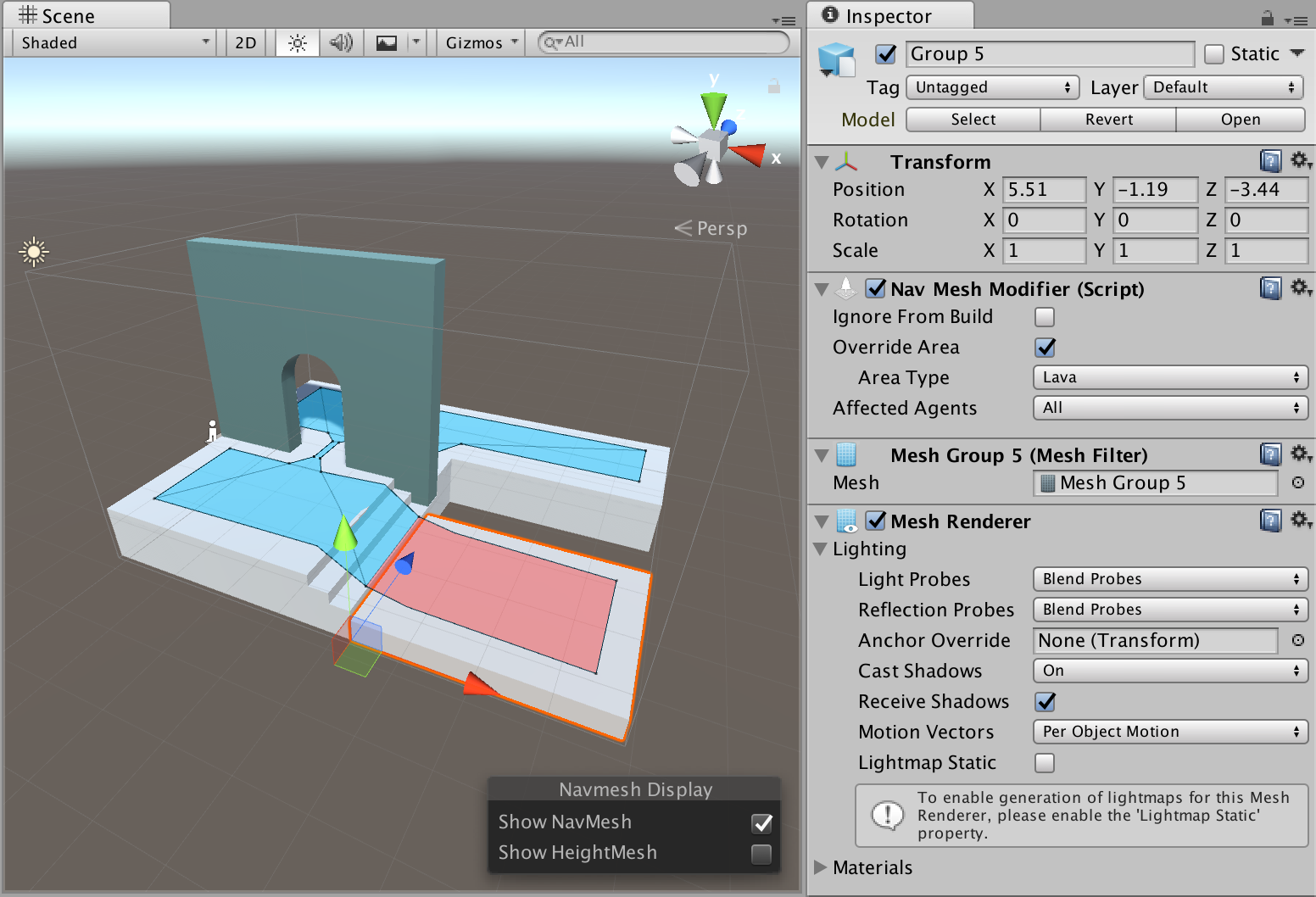
NavMesh Modifier allows to fine tune how a specific object behaves during NavMesh baking. In the above picture, the lower platform has modifier attached to it, which sets the object to have Lava area type.
The NavMesh Modifier affects hierarchically, that is, the Game Object where the Components is attached and all of its’ children are affected. If another NavMesh Modifier is found further down the transform hierarchy it will override the modification for its children.
The NavMesh Modifier affects the NavMesh generation process, this means the NavMesh has to be updated to reflect changes to NavMesh Modifiers.
Note: This component is a replacement for the old setting which could be enabled from the Navigation window Objects tab as well as the static flags dropdown on the GameObject. This component is available for baking at runtime, whereas the static flags are available in the editor only.
Parameters
- Ignore From Build – when checked, the object and all if its’ children are skipped from the build process.
- Override Area Type – when checked the area type will be overridden for the game object containing the Modifier and all of it’s children.
- Area Type – new area type to apply
- Affected Agents – a selection of agents the Modifier affects. For example, you may choose to exclude certain obstacles from specific agent.