NavMeshLink
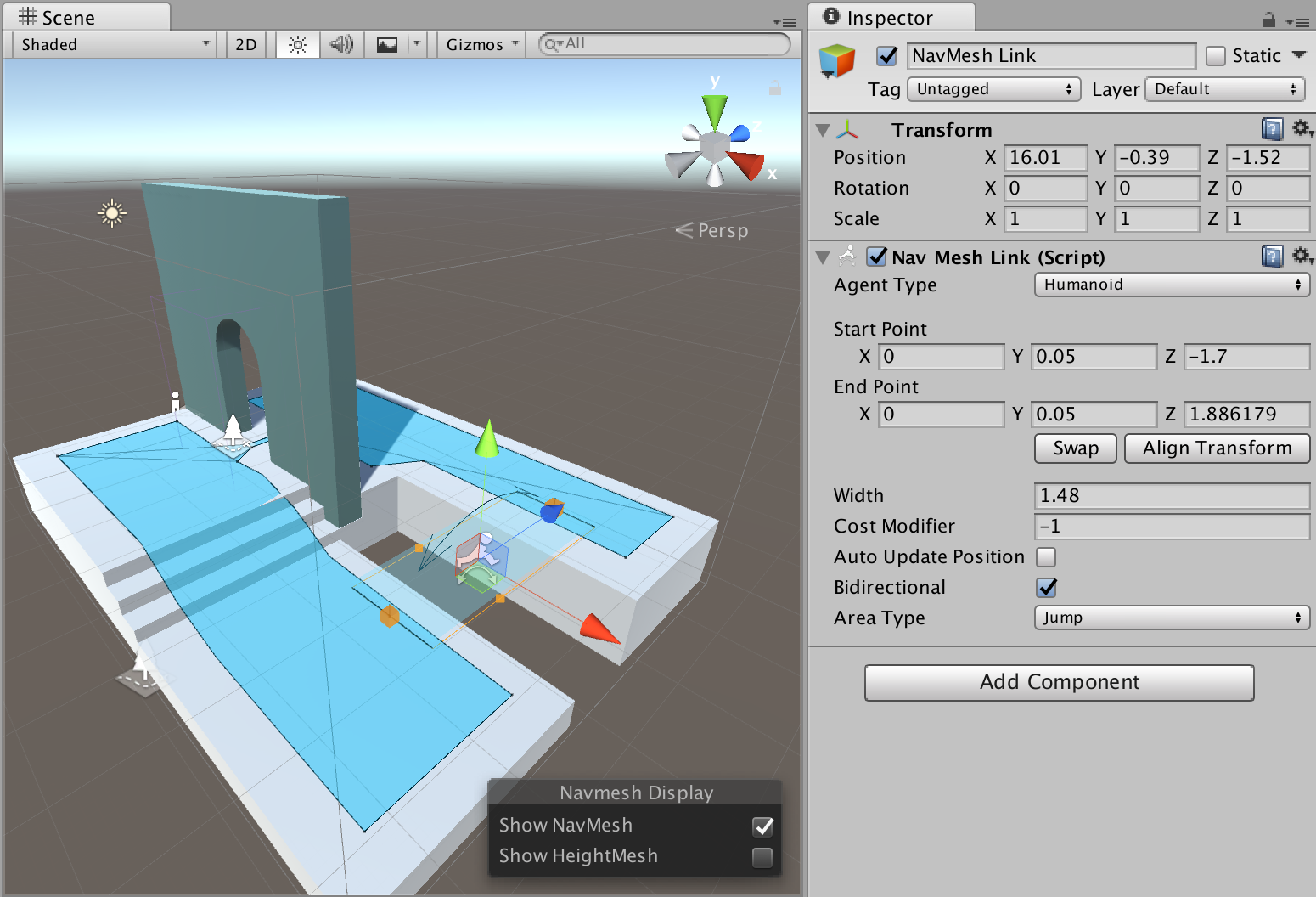
NavMesh Link allows to create a navigable link between two locations. The link can be from point-to-point, or it can be wider in which case the agent uses the nearest location along entry edge to cross the link.
The link is necessary to connect different NavMesh Surfaces
- Agent Type – the agent type which can use the link.
- Start Point – start point of the link, relative to the Game Object.
- End Point – end point of the link, relative to the Game Object.
- Align Transform To Points – clicking this button will move the Game Object at the links center point and alight the transform’s forward axis towards the end point.
- Cost Modifier – When the cost modifier value is non-negative the cost of moving over the NavMeshLink is equivalent to the cost modifier value times the Euclidean distance between NavMeshLink end points.
- Bidirectional – when checked the link can be traversed from start-to-end and end-to-start, when unchecked only from start-to-end.
- Area Type – the area type of the link (affects path finding cost)